1
Get your verification code
Every GSA-linked parcel has a unique code. Contact the GSA office to look yours up by Assessor’s Parcel Number (APN).
Your water account
Access your water account and register your wells — all in one place.

Groundwater simplified
Watermark is a groundwater accounting platform built by industry experts specifically for SGMA compliance. Mid-Kings River GSA uses Watermark so every grower and landowner can register their wells and manage their account online — without paper forms, phone calls, or guesswork.
Getting started
Most growers finish registration in fifteen minutes. If something goes wrong, the GSA office can walk you through it by phone.
Every GSA-linked parcel has a unique code. Contact the GSA office to look yours up by Assessor’s Parcel Number (APN).
Open Watermark, register with your name and email, and claim each parcel using its verification code.
Record each active well by dropping a pin on the map.
Probationary basin reference
Probation under SGMA means you’ll use both. They look similar from a distance, but they’re built by different organizations and ask for different things. Here’s which platform to use — and who to contact — for what.
Local · GSA partnership
Your GSA’s groundwater accounting platform
Questions about Watermark or your GSA?
State of California · Required due to probation
Groundwater Extraction Annual Reporting System
Questions about GEARS? Contact the State directly:
State Water Resources Control Board — SGMA Program
Two platforms, two different jobs — and you’ll use both.
Watermark is here from your GSA side, and we’re glad to help you navigate GEARS when you need it.
Tailored for seamless compliance
Every feature maps to something the GSA or the State Water Board needs from landowners — no generic CRM bolted onto water data.
01
A single GSA-assigned verification code is all it takes to claim every parcel under your ownership.
02
Register each well on your parcels by dropping a pin on the interactive map.
03
Our subbasin is on State probation — Watermark formats data for State Water Board GEARS reporting automatically.
Inside the platform
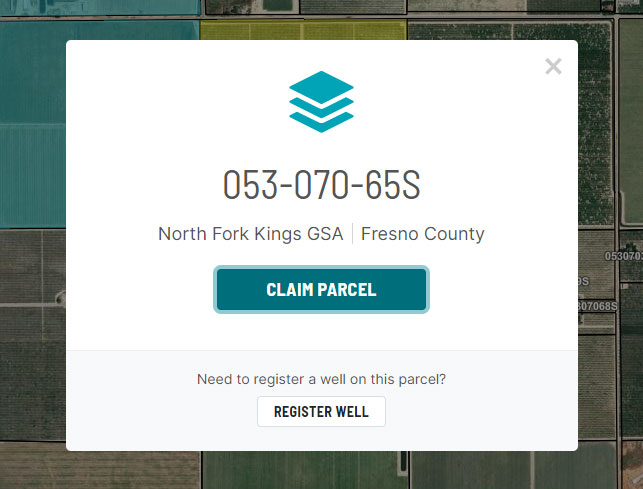
Parcel map
Claim parcels using your verification code. Register wells by dropping a pin on the map.
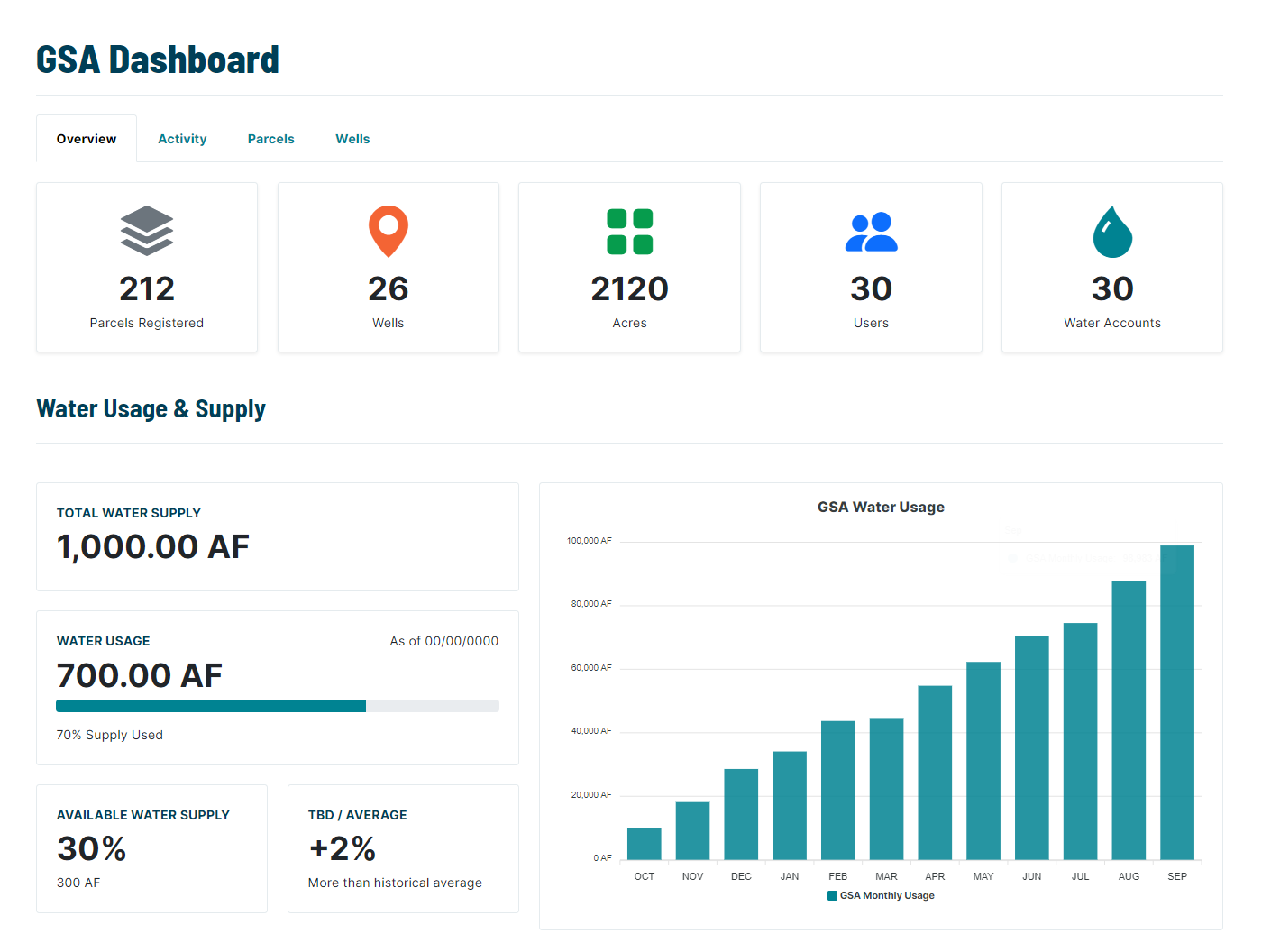
GSA dashboard
Staff use the dashboard to manage parcel claims, distribute allocations, and generate reports — so your landowner account always matches the GSA’s records.
Reliable + Transparent
Watermark is a secure, reliable, and trusted platform. We protect your data.
Why Watermark
Two of the five GSAs in our subbasin already run on Watermark. Shared tools make subbasin-wide coordination simpler — especially for the State-facing reporting required under probation.

Common questions
The GSA office is here to help with Watermark registration, allocations, and any other questions.